Private beta · coming soon

Describe a circuit.
Get a PCB you can build.

PCBBrew is an AI electronics designer for makers. Tell it what you want to build: it picks the parts, draws the KiCad schematic, places and routes the board, writes and simulates the firmware, and hands you the production files.

Free during the beta · invites sent in batches

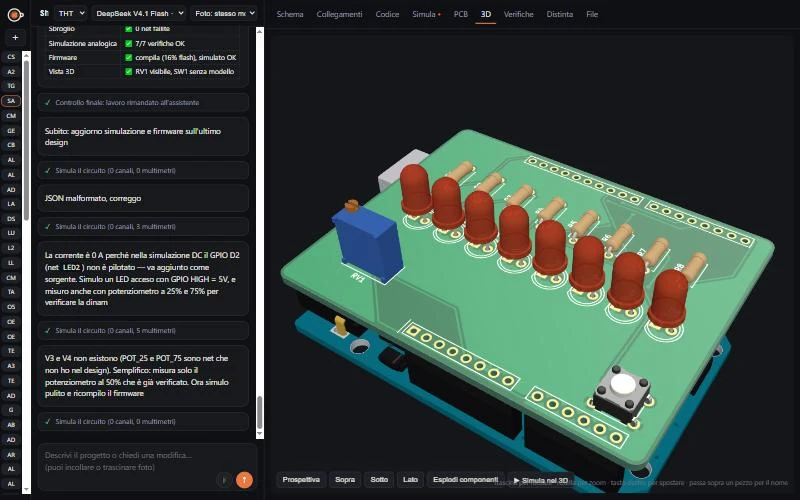
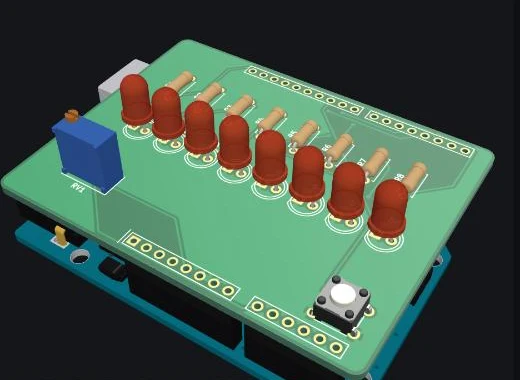
PCBBrew: chat with the assistant on the left, 3D view of an Arduino shield on the right

From idea to board in one conversation

No CAD skills needed to start, and real KiCad files when you want to take over.

1

Describe it

"An ESP32 thermometer with an OLED and an alarm LED." Add photos of the modules you already own: the assistant reads them, asks what's missing and proposes the architecture.

2

Check it

Schematic, PCB, 3D, parts list with datasheets. Electrical rule checks, design rule checks and SPICE simulation run automatically, and the firmware runs in a simulator in your browser.

3

Build it

Download Gerber files, BOM and an interactive assembly guide for any PCB fab, and flash the firmware to your board over USB, straight from the browser.

Real KiCad schematics, not pictures

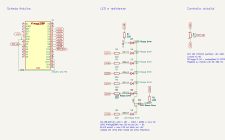
Every project is a KiCad 10 project built from the official libraries, checked against KiCad's own netlist. Open it in KiCad whenever you like.

  • Parts chosen from datasheets, with the pages it used linked in the BOM
  • Decoupling, pull-ups, protections and current limits explained
  • Version history: go back to any previous circuit
KiCad schematic generated by PCBBrew

Placed, routed and checked

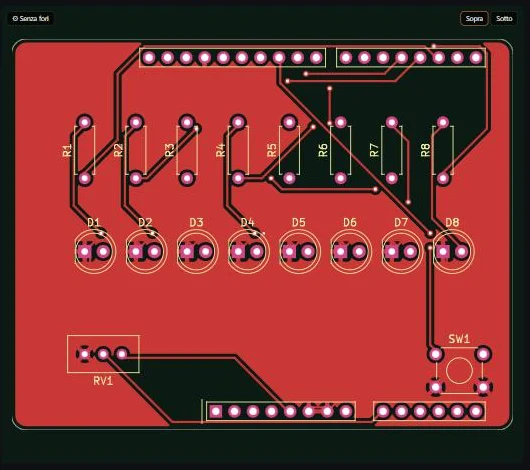
Compact two-layer boards with ground planes, mounting holes and connectors on the edge, routed automatically and verified with KiCad's design rule check.

  • Through-hole or SMD parts, your choice
  • Gerber, drill, BOM and pick-and-place files in one zip
  • Interactive HTML BOM to guide soldering
Routed PCB

See it in 3D, and run it

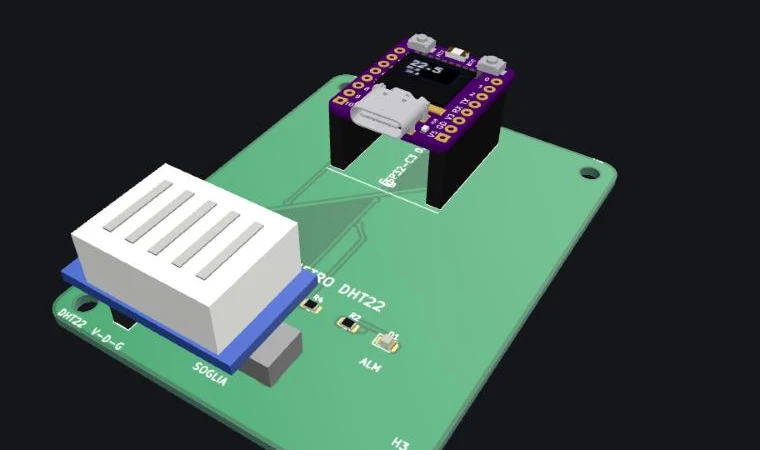
Press Simulate and the firmware runs on the 3D board: LEDs light up, displays show their content, and you turn trimmers and press buttons with your mouse.

  • Real 3D models of parts and plug-in modules (displays, sensors, dev boards on their headers)
  • Spot collisions and test the user interface before spending money

Firmware that runs before the board exists

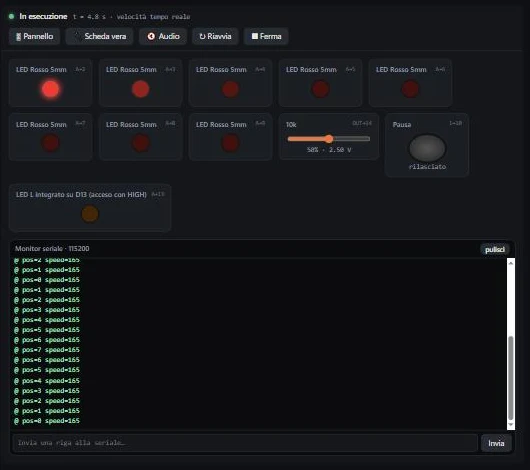
The assistant writes Arduino code for ESP32 (C3, S3, C6, classic) and AVR boards, compiles it and runs it in a simulator in your browser: LEDs, buttons, potentiometers, displays and serial monitor.

  • Flash a real board over USB from the browser
  • SPICE simulation of the analog parts, with pass/fail checks
Firmware simulator

Made for makers, honest about limits

PCBBrew is built for hobby and maker projects. It is not a tool for industrial or certified products.

2copper layers
200×200mm max board
80parts per board
ESP32 · AVRand ready-made modules

⚠️ AI can make mistakes. Always review the circuit before building or powering it, take special care with mains voltage, and use proper protection when soldering (fumes, burns, reversed electrolytic capacitors). PCBBrew refuses designs meant to cause harm.

Join the beta

We are working hard on the last details and the beta is coming very soon. Invites go out in small batches so we can listen to every tester.

  • Free monthly credits during the whole beta
  • Direct line to the developer: your feedback shapes the tool
  • Launch discount on the plans that come after the beta

Questions

Is it free?

Yes, during the beta. Every tester gets free monthly credits; a project usually takes 15–50 credits. Paid plans will come later, with a discount for beta testers.

Do I need KiCad or electronics experience?

No to start: the assistant explains its choices and checks its own work. Some basic electronics knowledge helps to review the design, and the KiCad files are yours if you want to edit them.

Which boards and parts are supported?

ESP32 family (classic, C3, S3, C6), Arduino/AVR boards, common sensors, displays, relays and power modules, plus the official KiCad libraries for discrete parts. More microcontrollers are planned.

Who owns my designs?

You do. You decide whether to publish a project in the public gallery; published projects are shared under an open-hardware licence (CERN-OHL-S or CC BY-SA) so others can learn from and remix them.

Can it design anything?

No, and on purpose: it is made for two-layer hobby boards. For very complex products (motherboards, TVs, high-speed digital) it proposes a smaller maker version instead, and it refuses devices meant to cause harm.